Middle School Teachers Use Technology To Enhance Curriculum
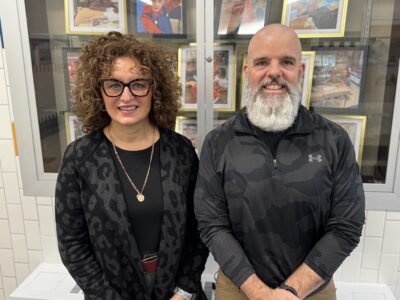
“Please pick up your Plickers card,” said David Gee, Persell Middle School math teacher, to his eighth-grade class as he pointed at the white screen at the front of the class. “What is the rate of change or slope for the graphs we show here? Once you have the answer, please hold up your Plickers card.”
As students held up paper sheets with their answer to the multiple-choice question, Gee scanned the room with his iPad. Plickers is a free app that lets teachers collect real-time data without the need for student devices. Gee uses Plickers for quick checks for understanding to know whether his students comprehend the big concepts and master key skills.
“Plickers gives all students the chance to participate and engage in learning without feeling self-conscious as only I know if the students got the answers right or not,” Gee said. “This is a great tool for formative assessment because I know immediately who is understanding the math concepts. The students and I don’t have to wait until the work is graded. It is instant feedback on how each individual student is grasping a concept in real time. It is also much more engaging for the students. We have just scratched the surface on how technology can be used to enhance our teaching.”
Gee also uses Explain Everything, which is a unique, interactive screen-casting whiteboard app. Gee records his lessons and allows students to replay them through the app if they need to review a concept. Eventually, students will be able to create their own recordings showing and describing to Gee how they solved their math problems, which they will share with him to review online.
“We love technology. It makes lessons more interesting than a straight lecture. We are used to doing everything on technology,” said Avery Brown, Persell Middle School eighth-grader. “Using it makes everything faster and easier, even outside the classroom by communicating with our teachers.”
At Jefferson Middle School, seventh- and eighth-grade teachers use Google Docs for extended response assignments to culminate a module. Google Docs is a word-processing application and part of Google’s web-based applications offered to schools for free. Students can digitally share documents and can also collaborate on documents in real time, allowing for constant peer editing. Since it is web-based, student work is no longer tied to a device that stays at school. They can access their work at any time, whether they are at home or school.
The Jefferson teachers used Google Docs as part of the writing process, teaching students about outlining and planning multi-paragraph responses around a theme, drafting and revising their work electronically, and receiving feedback via Google Sharing so that they would see instantaneously teachers’ comments online.
“I was thrilled with the results. The magic started to happen when I projected student writing on the screen and demonstrated how when a student was on their laptop and I was on mine, we could chat online about their work,” said Betsy Rowe-Baehr, Jefferson Middle School teacher. “I could highlight text, make comments in the margin, and then students could hover over this same work with their cursor, revise their writing and resolve the problems all within seconds, and as a model for the rest of the class. The students were very engaged and excited to know their documents were accessible from home. Eventually, we will be using this type of electronic sharing with peer review and group collaboration.”
Focus On Schools
After School Fun: After School Program Provides Washington Students With Community, Growth
Read 180 Helping Close Literacy Gap
Ashley Cruz Combines Connection, Innovation As Washington Teacher
First-Year Teacher Aims To Create Welcoming Space
Book Buddies Program Helps Bridge Gaps Between UPK, Fourth Graders